Brand New Rabbit R1#
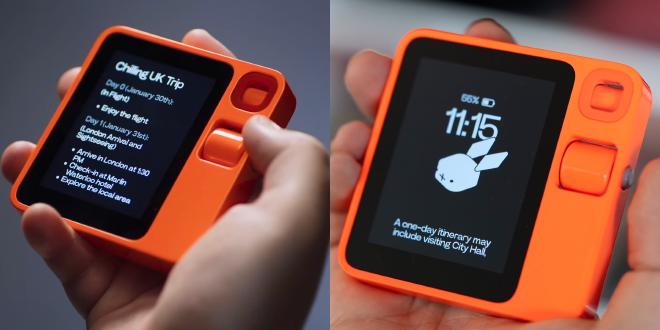
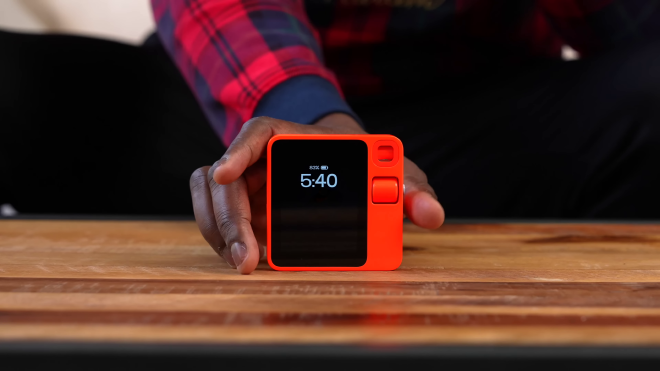
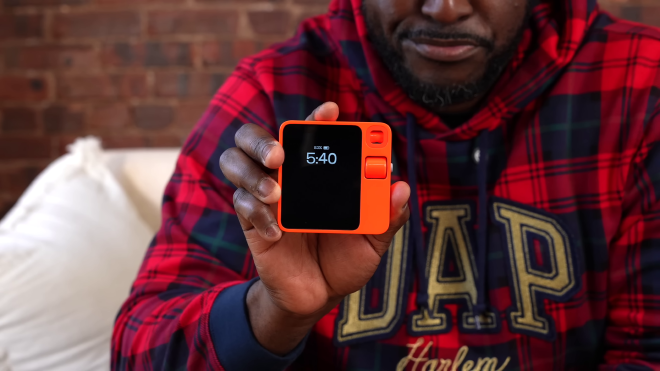
I purchased the Rabbit R1 in New York City.
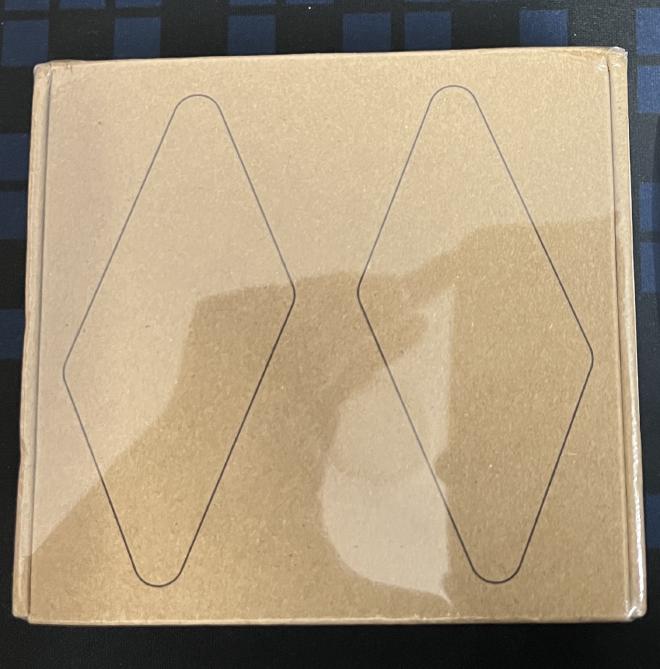
This unit is unused and in pristine condition — it has been sitting in its original packaging since it arrived a few weeks ago.
I no longer require it in my workflow and have decided to sell it.
Photos#

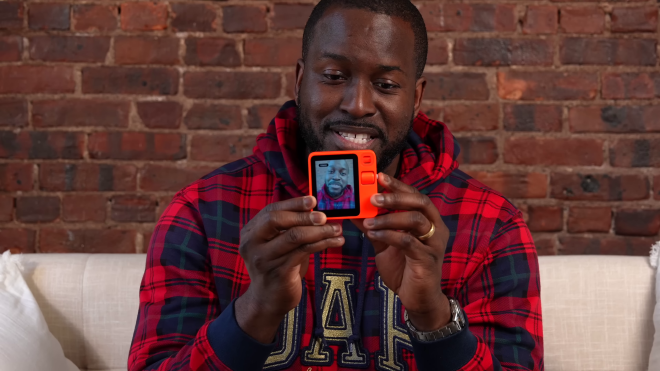
Who Is This For?#
The Rabbit R1 is best suited for two kinds of people:
🤖 1. AI Power Users Who Want to Run Complex Workflows#
If you already use AI in your daily life and want a dedicated, distraction-free hardware device to run agentic workflows — the R1 is built exactly for this. Here are 10 things you can actually do with it:
Control your desktop hands-free with DLAM — The Desktop Large Action Model lets you operate your computer through voice commands on the R1. You can open apps, fill forms, navigate websites — all without touching your keyboard.
Run autonomous AI agents via OpenClaw — The R1 acts as a voice interface for the open-source OpenClaw agent, letting you kick off complex multi-step tasks in your own digital environment.
Use it as a voice-powered terminal — With Terminal Mode, you can run command-line workflows including Claude Code directly through the device. Perfect for developers who want to execute tasks while away from their desk.
Record meetings and get AI summaries — The Magic Recorder captures unlimited audio, automatically transcribes it, and generates concise summaries synced to your Rabbithole journal. Walk into a meeting with just the R1.
Build custom tools with voice (“Creations”) — Describe what you want in plain language and the R1 will generate small software tools, calculators, trackers, or mini-apps for you — no coding needed.
Real-time bidirectional translation in 100+ languages — Point, speak, and get instant translations both ways. Invaluable for client calls, travel, or working with international teams.
Identify objects and get instant context — Use the rotating Rabbit Eye camera to scan anything — a document, a product, a plant, a circuit board — and get AI-powered information about it instantly.
Set a custom AI persona with system prompts — Configure the R1’s personality, tone, and response style to match your workflow. Make it formal for work, casual for personal use, or technical for development tasks.
Proactive context-aware updates (Hermes Agent) — The R1 learns from your history and proactively surfaces relevant updates, reminders, and suggestions on the home screen without you asking.
Bring Your Own API Keys — With BYOK support for Anthropic and OpenAI models, you can connect the R1 to the AI models you already pay for and trust, giving you full control over your AI stack.
👶 2. Parents With Kids Under 10 — Technology Without Screen Addiction#
If you want your child to grow up comfortable with technology but NOT glued to a screen — the Rabbit R1 is a brilliant alternative to handing them a phone or tablet. Here are 10 real things your child can do with it:
Ask unlimited questions and learn — Kids are naturally curious. Instead of typing into a search engine (and getting lost in rabbit holes of links), they just press a button and ask. “Why is the sky blue?” “How do volcanoes work?” “What is the biggest dinosaur?” They get clear, spoken answers.
Identify plants, animals, and objects around them — Hand them the R1 on a nature walk. They can point the camera at a flower, a bird, an insect, or a rock and learn what it is. It turns every outing into a science class.
Learn a new language through conversation — The real-time translation feature lets kids hear and practice words in Telugu, Hindi, Spanish, French, or any of 100+ languages. They can speak in English and hear it back in another language — far more engaging than flashcards.
Create their own mini-games and tools — With the “Creations” feature, a child can describe a simple game or tool in their own words and the R1 will build it. “Make me a math quiz game” or “Make a tool that tells me a random fun fact” — instant gratification, creative thinking.
Record voice journals and stories — Kids can narrate their day, tell stories, or practice speeches. The R1 records, transcribes, and summarizes — so parents can read what their child talked about. A wonderful memory-building habit.
Use the Magic Camera for creative fun — The AI-powered camera effects let kids take photos and transform them with creative filters and AI art styles. It’s like having a mini art studio in their pocket — without the addictive scroll of Instagram.
Get help with homework without a screen — Instead of Googling on a phone (and getting distracted by YouTube), kids can ask the R1 to explain a concept, help with a math problem, or quiz them on their syllabus. Voice-first, screen-minimal.
Learn about the food they eat — Point the camera at fruits, vegetables, or packaged food and the R1 identifies them and can explain nutritional facts, where they come from, and how they’re grown. Mealtime becomes learning time.
Practice public speaking and storytelling — Kids can use the recorder to practice speeches, hear themselves back, and even get AI-generated summaries of what they said. A confidence-building tool for shy children.
A gadget they can carry without social media or games — The R1 has no Instagram, no YouTube, no TikTok, no addictive game store. It is a device that responds when asked, helps when needed, and stays quiet otherwise. It teaches children that technology is a tool, not an entertainment machine.
Technical Specifications & Connectivity#
- Display: 2.88-inch TFT touchscreen
- Camera: 8 MP 360-degree rotating camera (“Rabbit Eye”)
- Control: Push-to-talk (PTT) button & analog scroll wheel
- Audio: Dual-microphone array & built-in speaker
- Processor: MediaTek Helio P35 (MT6765) Octa-core
- Memory & Storage: 4GB RAM + 128GB internal storage
- Connectivity: 4G LTE (Unlocked SIM slot), Wi-Fi (2.4GHz & 5GHz), Bluetooth 5.0
- Charging / Battery: USB-C port, 1000 mAh battery
- Design & Build: Vibrant Leuchtorange body designed in collaboration with Teenage Engineering
📶 Cellular Connectivity Note: Works flawlessly with a Jio SIM card out of the box for 4G data on the go. (Has not been tested on Airtel yet, but as an unlocked 4G LTE device, it should work seamlessly on Airtel and other networks as well). You can also connect it via Wi-Fi or phone hotspot.
Compare Online#
🛒 Marketplace Listing: You can check the imported listing on Amazon India to compare specifications, import pricing, and availability.
Details#
| Product | Rabbit R1 |
| Condition | Brand New (Unused in original packaging) |
| Originally Purchased In | New York City, USA |
| Location | Ameerpet, Hyderabad |
| SIM Compatibility | Unlocked 4G LTE (Tested & working flawlessly with Jio) |
| Price | ₹30,000 |
Contact#
Interested? Reach out to me and we can figure out a time to meet:
📞 Call: 9160400401
📧 Email: prk@prkspeaks.com
Also Available: Older Rabbit R1 Unit (Non-Working)#
An older Rabbit R1 unit is also available. It does not work but could be useful for parts or as a souvenir/collector’s item.
Price: ₹5,000
If you want to offer anything less, it will remain on my souvenir shelf rather than be sold.